

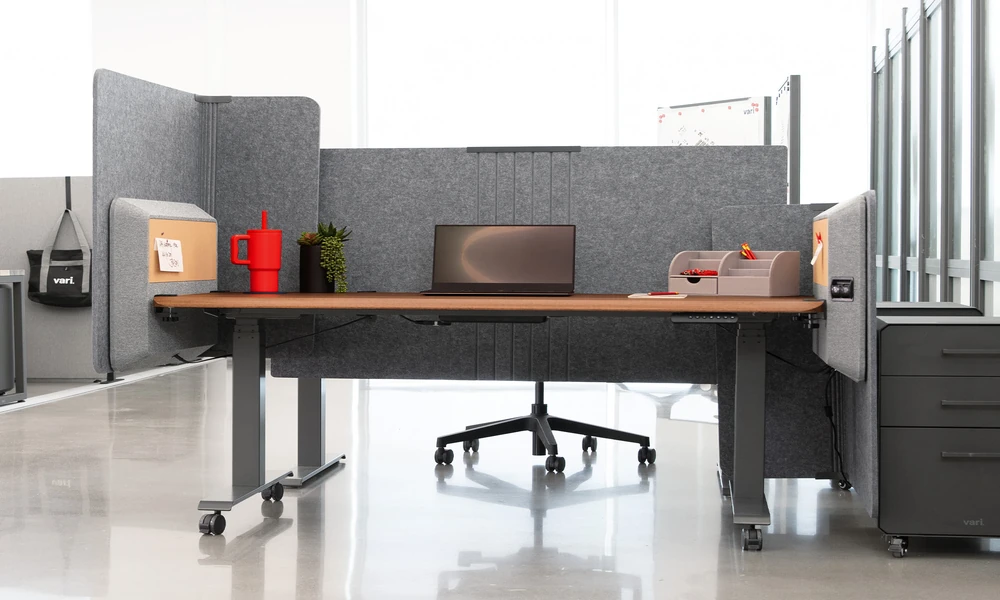
A table seems the simplest piece of office furniture to buy without seeing it: a flat top, four legs, a set of dimensions. That simplicity is misleading. Width alone says little about whether a table suits the work, the room or the person, and the details that decide it are easily overlooked on a product page. Choosing an office table online goes well when the buyer starts from the task and the space, then reads each listing for depth, height, frame design and cable provision.
Define the Work Before the Table
Different work demands different surfaces. A single laptop needs little room; two monitors, a keyboard and paperwork need much more. Someone who meets visitors at the desk needs clear space opposite. Write down the equipment that will sit on the table and how the person works across a day. Note, too, whether the table will be used by one person or shared. This short exercise narrows the options faster than scrolling through pages of products that are sorted only by price.
Depth Matters More Than Width
Listings lead with width, yet depth governs comfort. A shallow top pushes the monitor too close and leaves no space for the forearms in front of the keyboard. A deeper top lets the screen sit at about arm’s length with documents between. Large monitors and monitor arms need extra allowance at the rear. Where floor space is tight, it is usually better to reduce width than to give up depth, since a narrow but deep table remains comfortable to work at.
Height and Leg Clearance
Most fixed tables are built to a common height that suits average builds when paired with an adjustable chair. Check the figure anyway, and check what lies beneath: a low crossbar, a deep apron or a fixed drawer unit can strike the knees or prevent a chair’s armrests from sliding under. Taller and shorter users should consider adjustable legs or a height adjustable frame instead of working around a poor fit.
Shapes and Configurations
Rectangular tables are the most flexible and fit against walls or in rows. L-shaped tables give a second surface for paperwork or a printer and suit corners. Bench systems seat several people along a shared frame and save space in open offices. Looking through a full selection of office desks organised by type shows how the same footprint can be used differently, and whether matching pedestals, returns or screens are offered.
Worktop Material and Edge Finish
Most worktops are particleboard or fibreboard faced with melamine or laminate. Thickness influences rigidity, especially across long spans, and edge banding protects the core from knocks and moisture. Matt, lightly textured surfaces show fewer fingerprints and reflect less light than gloss. Dark tops look smart but reveal dust. If the table must match existing furniture, obtain the finish code or a sample, because colour names vary between makers.
Frame Design and Steadiness
The frame decides whether a table feels solid. Steel legs with a connecting beam resist sideways movement better than legs fixed only to the top. Panel-end tables are steady but block access from the sides. Check the stated load capacity and look for adjustable glides to cope with uneven floors. Reviews that mention wobble or a sagging top are worth heeding, since those faults are difficult to correct afterwards and tend to worsen as fixings loosen with use.
Cable Management
A modern table carries more cable than paper. Grommet holes, a flip-up access panel or a rear gap allow leads to drop neatly through the surface. A tray underneath holds power strips and adaptors off the floor, which helps cleaning and reduces accidental unplugging. If the listing does not mention cable provision, assume there is none and decide whether a clamp-on tray or adhesive clips will be enough for the number of devices involved.
Storage Under and Beside the Table
Decide early whether storage should be part of the table or separate. Fixed pedestals are tidy but limit leg room and cannot be moved. Mobile pedestals tuck under the top and can be relocated. Side cabinets or returns add surface as well as storage. In smaller offices, keeping the space beneath the table clear and placing storage elsewhere often makes the workstation feel larger than its footprint suggests.
Delivery, Assembly and Returns
Tables are bulky, so practicalities carry weight. Confirm whether the price includes delivery to the room and assembly, or only delivery to the building. Check carton dimensions against the lift. Ask about lead time, since some sizes and finishes are made to order. Read the returns policy for assembled goods and the warranty on the frame and top, and inspect the surface for transit damage before signing for the delivery.
Settling on the Right Table
Fix the depth and width from the work to be done, confirm that the height and leg clearance suit the user, and choose a frame that will stay steady under the intended load. Check cable provision and decide on storage. Then compare delivery, assembly and warranty terms between sellers. Working through a well-organised office desk catalogue with those criteria in hand turns a long list of similar-looking tables into a short one.
